AI Image Editor — Rapid, Professional Photo Edits
Tell the tool what to change and get polished photos in seconds — AI Image Editor handles retouching, background swaps and style transfers with speed and accuracy.
Feedback
AI Tools
Explore AI tools
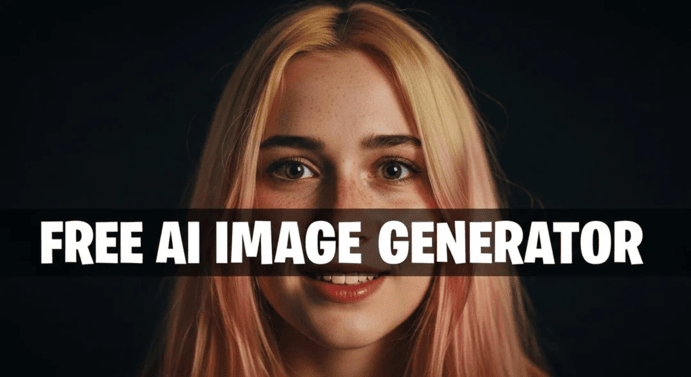
AI Image Editor Examples
See what our AI Image Editor can do. Remove backgrounds, change styles, enhance photos instantly.


Meet the AI Image Editor
AI Image Editor is a web-based editor that quickly transforms photos — from background removal to style transfers and pro retouching, all with minimal effort.
- Accessible to AllUse everyday language to request edits — AI Image Editor makes complex retouching approachable for everyone.
- Speedy ResultsPreview and iterate quickly — AI Image Editor lets you refine looks in minutes.
- Flexible ExportExport finished images in web- or print-ready formats directly from AI Image Editor.
Why Choose Our AI Image Editor?
Our editor fits both beginners and pros, offering model choices, instant prompts and a streamlined editing flow.

How to Use AI Image Editor
Three simple steps: upload your photo, describe the edit, then preview and save the polished result using AI Image Editor.
Key Features
Powerful tools in AI Image Editor: seamless background removal, creative style transfer, precise retouching and fast color grading.
Background Removal
Remove or replace backgrounds naturally and quickly using AI Image Editor.
Style Transfer
Apply artistic looks while keeping composition intact with AI Image Editor's style tools.
Color & Tone
Tune color, exposure and contrast with simple prompts to achieve consistent results.
Object Removal
Erase distractions and realistically rebuild the background for a clean final image.
Enhancement
Sharpen, denoise and expand dynamic range to uplift overall image quality.
Iterative Edits
Generate variations and refine prompts until the image matches your vision.
AI Image Editor — Frequently Asked Questions
Common questions on features, supported files, processing times and privacy when using AI Image Editor.
What can the AI Image Editor do?
It automates background removal, style transfers, retouching and many other photo edits quickly.
Do I need design skills?
No — plain-language prompts are enough for AI Image Editor to interpret and apply changes.
Is the service free?
Basic edits are free; premium options may offer higher-resolution exports and advanced controls.
Which file formats work?
Upload JPG or PNG; download output optimized for web or print from AI Image Editor.
Can I refine the edits?
Yes — regenerate variations and adjust prompts until the edits match your needs.
How is my data handled?
Images are processed securely; check our privacy policy for retention and usage specifics.
Start Editing with AI Image Editor
Upload an image, describe the change, and get a polished result in moments — AI Image Editor makes advanced photo edits easy.