Feedback
freeTrialImage.bannerPity
freeTrialImage.upgradeUnlock
- ✓freeTrialImage.benefitHd
- ✓freeTrialImage.benefitWatermark
- ✓freeTrialImage.benefitUnlimited
All Tools
Browse AI tools
MiniMax H3
MiniMax H3 AI Video Generator
Seedance 2.5
The Future of AI Video Is Here.

Seedance 2.0
The Future of AI Video Is Here.

Kling 3.0
Next-Gen AI Video Generator
Grok Video Generator
Create Videos from Text or Images with AI
MiniMax H3 video generator
MiniMax H3 AI Video Generator

Seedance 2.0
The Future of AI Video Is Here.

Kling Motion Control
Turn reference images into amazing motion videos in minutes

GPT Image 2 + Nano Banana2 ALL Free
Seedance 2.0 AI Video Generator — The Future of AI Video Is Here
Kling 3 Is Here
Kling 3 - See the Sound, Hear the Visual.
Veo3 Video Generator
Veo 3 - Create Stunning Videos Now!
AI Video Effects
AI Effects - Create Funny Videos Easy!
Kling Motion Control
Kling Motion Control - Precision AI Video

Suno AI Music Generator
Suno AI Music Generator - Create Professional Music with AI
Free AI Photo Editor — AI Image Editor
Enhance, retouch, and redesign photos with one-click AI tools. Adjust clarity, remove backgrounds, erase objects, restore old photos, and apply generative fills to create high-quality images ready for web or marketing.

AI Photo Editor — One‑click Image Enhancements
Enhance, retouch and redesign images with intuitive AI tools. Instantly improve sharpness and lighting, remove unwanted objects or backgrounds, restore damaged photos, and expand scenes using simple text prompts.
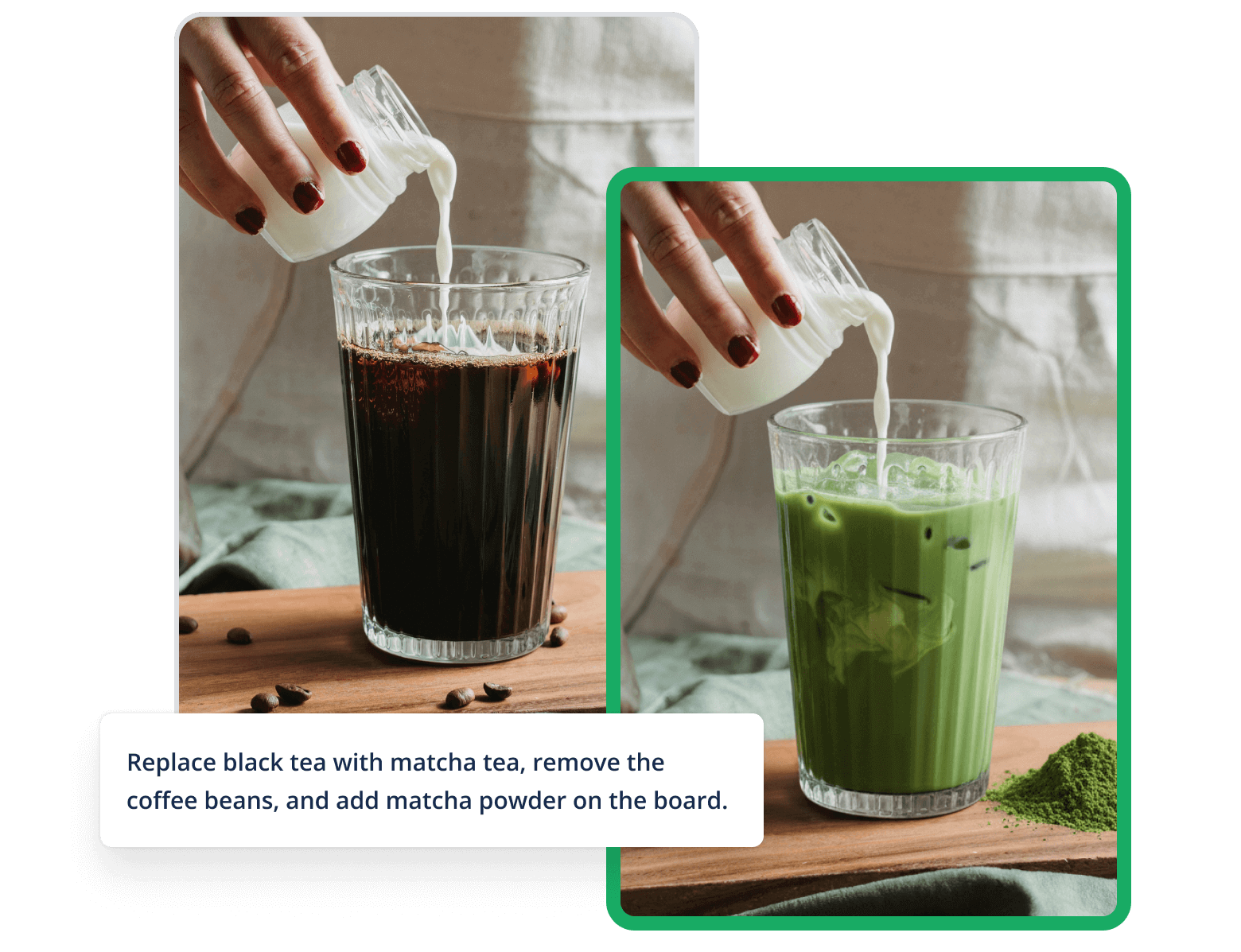
- One‑click Photo ImprovementsAutomatically adjust clarity, exposure, and sharpness to make images look professionally edited with a single action.
- Restoration & RetouchingRepair old or low-quality photos by reducing noise, removing scratches, and restoring detail for natural results.
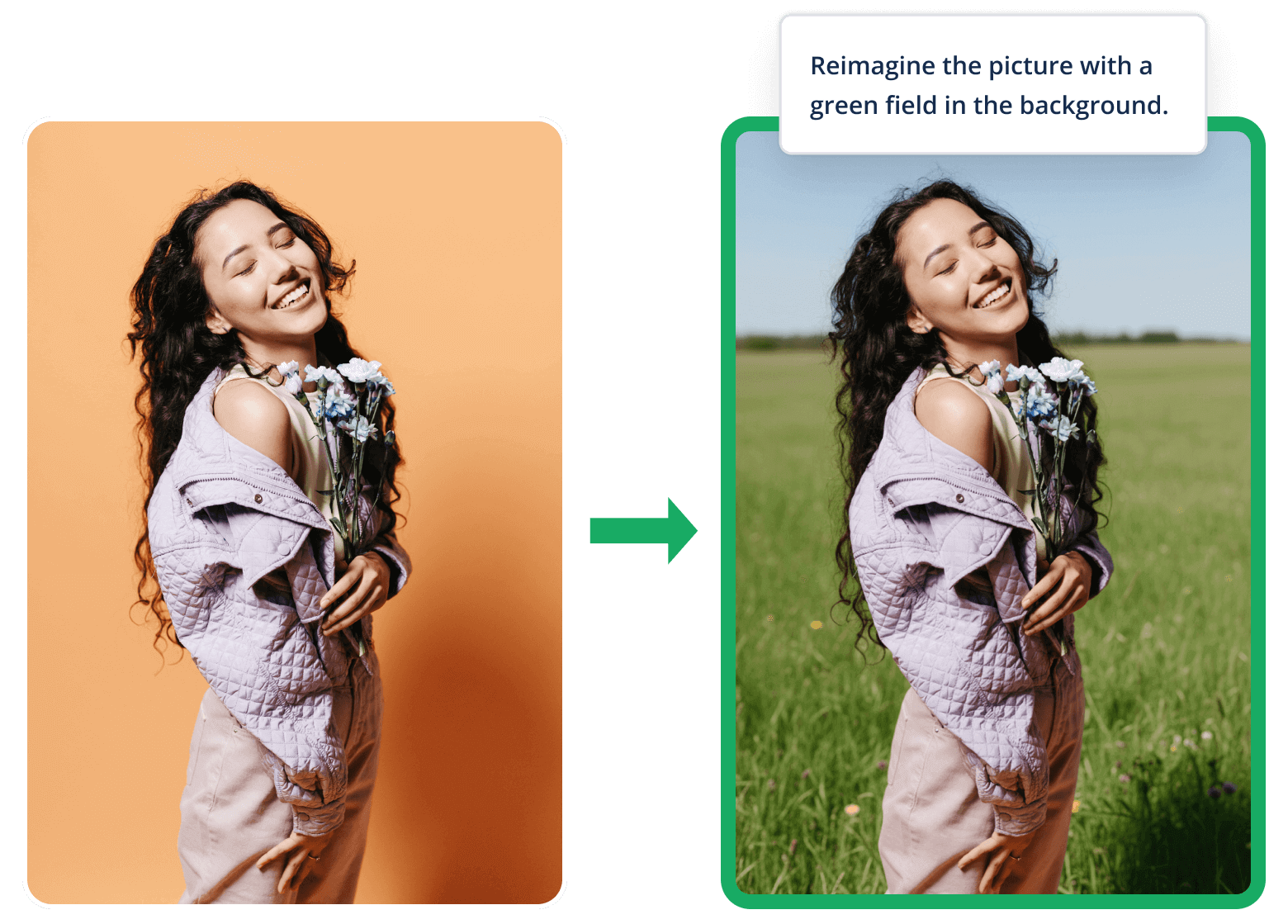
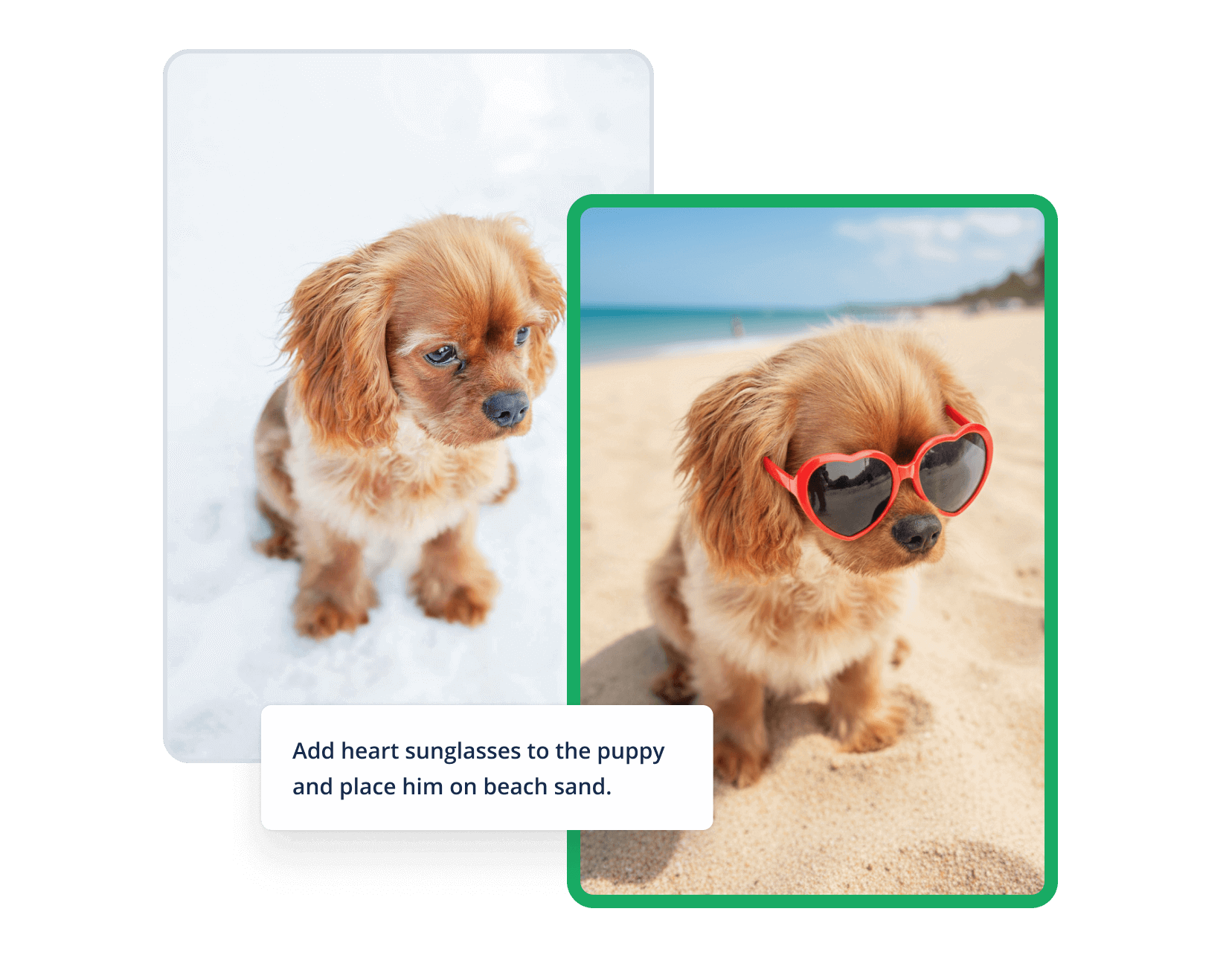
- Removal & ReplacementErase unwanted objects or replace backgrounds and elements through simple text instructions for precise edits.
Benefits of the AI Photo Editor
Edit photos faster and with greater consistency: AI tools automate enhancement, restoration, object removal and generative edits so creators and teams deliver polished images without complex workflows.
How to Generate Videos with the AI Video Generator
Four simple steps to turn a prompt into a finished video using the AI Video Generator.
AI Photo Editor Features
Everything you need to perfect photos: one-click enhancement, color correction, restoration, background removal, object erasure and generative fill powered by AI.
One‑click AI Enhancer
Instantly boost sharpness, contrast and detail with an automated enhancer tuned for natural results.
Color Correction & Tone
Automatic color balance and exposure adjustments restore vibrancy and achieve consistent tones across images.
Photo Restoration
Remove noise, repair damage and recover detail from old or low-resolution photos.
Background Removal & Replacement
Isolate subjects and swap backgrounds effortlessly with precise AI masking and replacement tools.
Generative Fill & Expansion
Extend scenes, add elements, or change clothing and environments using generative editing guided by prompts.
Integrations & Export
Export high-resolution images and integrate with common workflows for e-commerce, social, and marketing.
AI Video Generator FAQ
Common questions about features, voiceovers, editing and publishing using the AI Video Generator.
What is the AI Video Generator?
The AI Video Generator turns text prompts into complete videos — script, visuals, voiceovers, subtitles and music — with simple controls for creators and teams.
Do I need design skills?
No timeline or editing experience required — use presets and text commands to make professional-looking videos quickly with the AI Video Generator.
Will this reduce my production costs?
Yes — automate scripting and visual creation to cut production time and reduce the need for large shoots or manual editing when using the AI Video Generator.
What formats are supported?
Export standard video formats optimized for social platforms; use presets for aspect ratios, bitrates and captions. API and integrations support automated workflows with the AI Video Generator.
Can I re-edit and create variations?
Yes — refine the prompt, use the editor to tweak scenes, and regenerate multiple variations for testing and optimization with the AI Video Generator.
Is the AI Video Generator secure for product content?
Videos are processed with security in mind; enterprise plans add team permissions, storage and integration controls for compliance when using the AI Video Generator.
Start Editing with Free AI Photo Editor
No complex software required — upload, apply AI edits, refine, and download high-quality images with the Free AI Photo Editor.